DezignWorks Measurement-Driven CAD Modeling Software

Transform probing and measurement data into intelligent, feature-based CAD models directly within your preferred environment. DezignWorks combines powerful CAD modeling software with flexible product design CAD software capabilities to streamline reverse engineering, product development, and manufacturing through automation and native CAD integration.
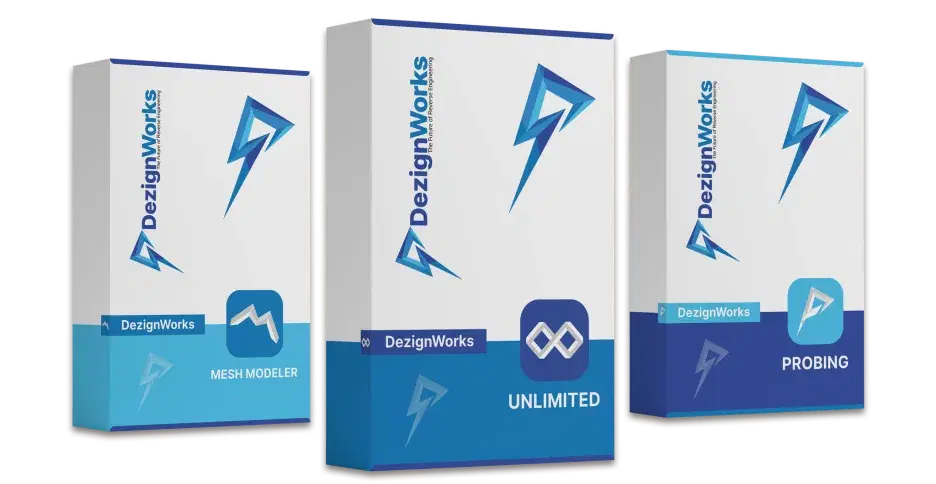
DezignWorks Probing Software Box
Certifications

Certified CAD Integrations

DezignWorks is certified for both SolidWorks and Autodesk Inventor, providing native integration and streamlined reverse engineering workflows within leading CAD environments.

solidworkImage

DezignWorks for SolidWorks

DezignWorks for SolidWorks allows you to quickly create parametric features from scan data. Using the industries first advanced AI, DezignWorks for SolidWorks gives you powerful tools to extract features and create complex surface geometry with ease. This poweful tool is extremely easy to learn with most users being 100% proficient with just 4 hours of 1-on-1 web-based training with a DezignWorks Application Engineer.

DezignWorks for SolidWorks is compatible with Creaform, peel 3, FARO, Romer and other 3D measurement tools.

DezignWorks for AutoDesk Inventor

DezignWorks for AutoDesk Inventor allows you to quickly create parametric features from scan data. Using the industries first advanced AI, DezignWorks for AutoDesk Inventor gives you powerful tools to extract features and create complex surface geometry with ease. This powerful tool is extremely easy to learn with most users being 100% proficient with just 4 hours of 1-on-1 web-based training with a DezignWorks Application Engineer.

DezignWorks for AutoDesk Inventor is compatible with Creaform, peel 3, FARO, Romer and other 3D measurement tools.

autodeskImage

CAD Modeling Capabilities

DezignWorks helps engineers convert measurement and probing data into accurate, editable CAD geometry with faster, more efficient workflows.

CAD Integration

CAD Integration

Work seamlessly within SolidWorks and Autodesk Inventor while preserving existing workflows for faster CAD reconstruction.

Feature Extraction

Feature Extraction

Use automated feature extraction to generate sketches, surfaces, and features while reducing manual CAD modeling work.

Workflow Automation

Workflow Automation

Accelerate CAD reconstruction processes with streamlined tools that reduce repetitive work and improve engineering productivity.

Parametric Modeling

Parametric Modeling

Create feature-based CAD geometry from measurement data using powerful parametric modeling software for accurate engineering workflows.

Reverse Engineering

Reverse Engineering

Convert physical components into editable CAD models using reverse engineering software for redesign, optimization, and manufacturing.

CAD Outputs

CAD Outputs

Generate accurate production-ready CAD models for product development, tooling, manufacturing, and reliable engineering workflows.

Why Dynamic 3D

Why Choose Dynamic 3D for DezignWorks

Dynamic 3D provides expert DezignWorks guidance, software support, and reverse engineering experience to simplify selection, implementation, training, and CAD integration.

Certified Software Specialists

Certified Software Specialists

Receive guidance from application engineers experienced in reverse engineering and CAD integration.

Personalized Software Guidance

Personalized Software Guidance

We'll help you choose the right DezignWorks edition based on your scanner, workflow, and engineering requirements.

Training & Implementation

Training & Implementation

Get started faster with onboarding, software setup, workflow recommendations, and practical user training.

Ongoing Technical Support

Ongoing Technical Support

Our team provides continued assistance to help maximize software performance and long-term productivity.

Everything to Know About DezignWorks

DezignWorks helps engineers convert measurement and probing data into accurate, editable CAD geometry with faster, more efficient workflows.

Engineering design software helps professionals create, modify, test, and document digital product models for manufacturing, reverse engineering, and product development.

Some 3D product design software free options are available for students, beginners, and small projects, but advanced engineering features usually require a paid license.

If you are wondering how does 3D scanning work, a scanner captures surface measurements from a physical object and converts them into a digital point cloud or 3D mesh.

Parametric modeling can be explained as a CAD method where dimensions, features, and relationships control the model, making design changes faster and more consistent.

Yes. Engineering design software can import scan data and help convert physical parts into editable CAD models for inspection, redesign, optimization, and manufacturing.

3D Scanning Background

Need Help Choosing the Right Edition?

Whether you're using SolidWorks or Autodesk Inventor, our application engineers can help you choose the best DezignWorks solution for your workflow.

DezignWorks Solutions

Explore specialized DezignWorks software solutions designed for probing, reverse engineering, and advanced CAD reconstruction workflows.

DezignWorks for AutoDesk Inventor - Unlimited Version

DEZIGNWORKS

DezignWorks for AutoDesk Inventor - Unlimited Version

View Detail
DezignWorks Mesh Modeler - Autodesk Inventor

DEZIGNWORKS

DezignWorks Mesh Modeler - Autodesk Inventor

View Detail
DezignWorks for SolidWorks - Mesh Modeler Version

DEZIGNWORKS

DezignWorks for SolidWorks - Mesh Modeler Version

View Detail
DezignWorks for SolidWorks - Unlimited Version

DEZIGNWORKS

DezignWorks for SolidWorks - Unlimited Version

View Detail
DezignWorks for AutoDesk Inventor - Probing Version

DEZIGNWORKS

DezignWorks for AutoDesk Inventor - Probing Version

View Detail
DezignWorks for SolidWorks - Probing Version

DEZIGNWORKS

DezignWorks for SolidWorks - Probing Version

View Detail